
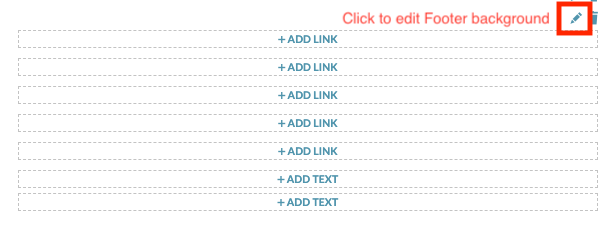
To configure the Poll Footer, click on +ADD FOOTER and you’ll be able to style the following:
- Page Background: Click on the pencil icon and style by choosing a color or upload an image. This styling applies only to the Footer.
- +ADD LINK Group: Enter and style text, add up to 5 links. Configure alignment and layout (links can be stacked or inline).
- +ADD TEXT (2 separate text blocks): Enter and style text.
IMPORTANT: Once you are done editing a snapshot, be sure to click “SAVE” to ensure all your changes are saved, otherwise they will be discarded. You can always make additional edits by returning to the Manage Snapshots page and clicking the pencil icon next to a snapshot title.