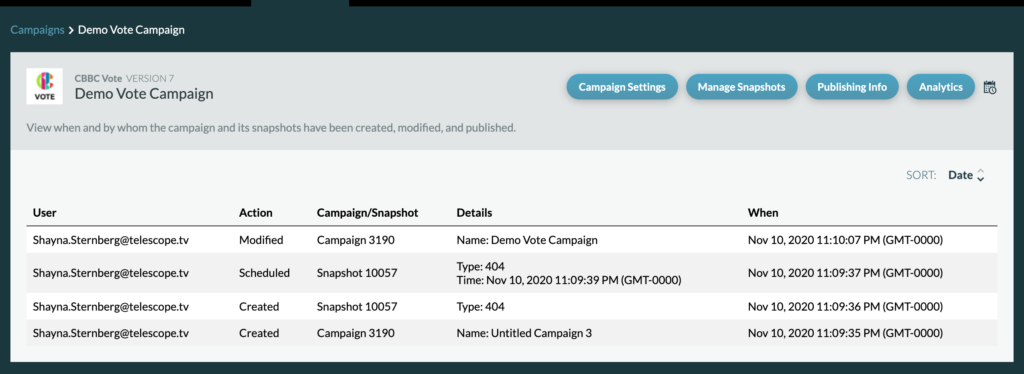
To view your campaign’s Audit page, click the audit icon next to the Analytics tab within a campaign.

An Audit Page shows when a campaign was created, when a campaign or one of the snapshots within the campaign have been modified or scheduled, and the user who took the action.