
The publishing information can be found under the Publishing Info tab within a campaign.
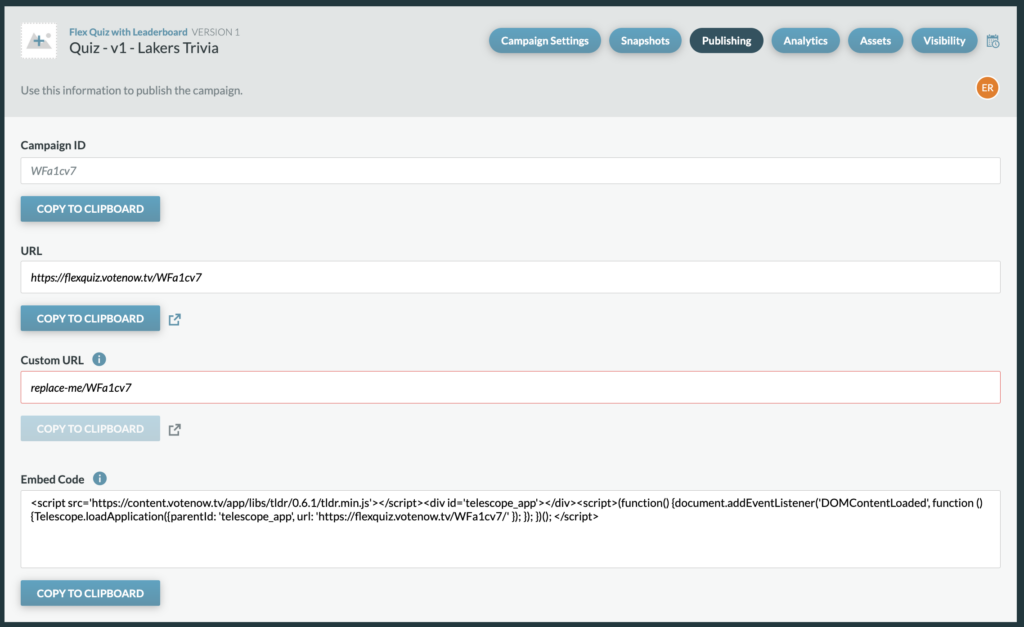
Campaign ID: The Campaign ID is unique to every campaign and is auto generated from the platform. Campaigns can be located by searching with this ID on the Campaigns Dashboard.
URL: The URL is the live URL for the campaign, you’ll see that it automatically includes the campaign ID. You can click to copy the URL to your clipboard and/or click the link out to
Embed: Code If you are choosing to iFrame the campaign into your site or a Client’s site, you’ll want to use this embed code as your snippet of code for the iFrame. This includes your campaigns URL and our pym script which helps our site communicate to the iFrame parent’s page, which will ensure the correct height and scrolling for users.