
Closed Settings
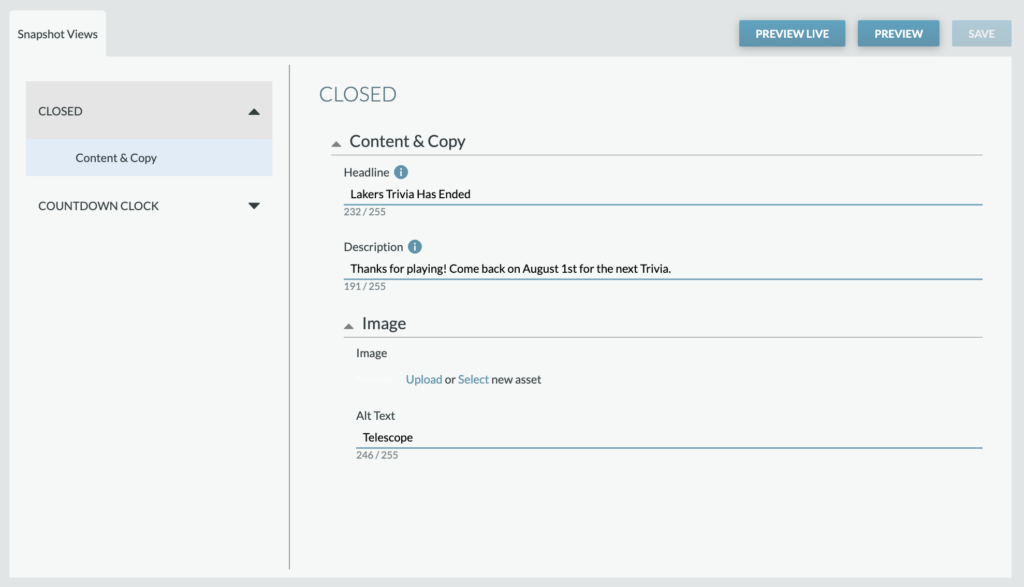
Content & Copy: When the Closed Snapshot is live, it will include a separate Headline and Description than the Open Snapshots. This should convey the Quiz Game being closed and (if applicable) information about when the game will open/re-open. An Image can also be included.
Countdown Clock

Settings: A Countdown Clock can be displayed, which can be used to countdown to the opening of a Quiz Game.
Countdown Units: Define which unites (months, days, hours, minutes, seconds) should be displayed.
Content & Copy: Includes the Countdown Running (when the countdown is active) and Countdown Finished (once the countdown has ended) customizable copy.
Labels: Customize the label copy for each unit label (e.g., if a different language is needed).