
Set all settings related to authentication, registration, login, and user info collected.
Login Flow

Enable Gated Login – Toggled on the “Enable Gated Login” if the goal is to require a user to login before participating.
Auth Methods
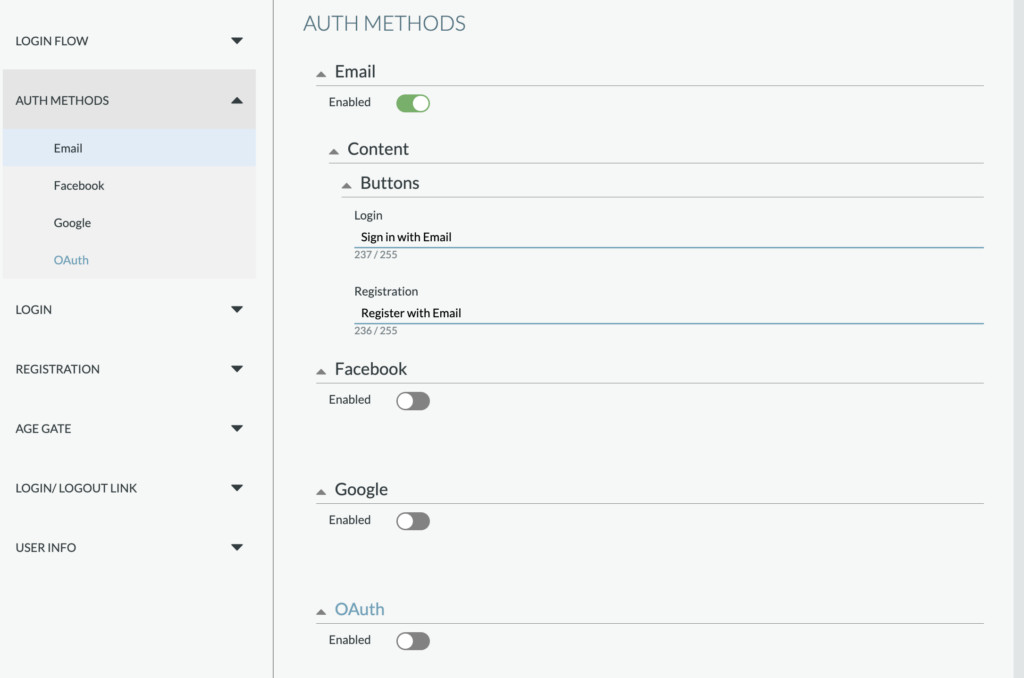
Set the authentication methods for the login/registration. One method must be included and Email will be enable by default. Each authentication method setup allows for custom copy. Other supported methods include:
- Facebook: Requires a Facebook App ID and option to “Request User Email”
- Google: Requires a Google Client ID
- OAuth: If OAuth is desired, please contact your Telescope representative for successful setup.
Login
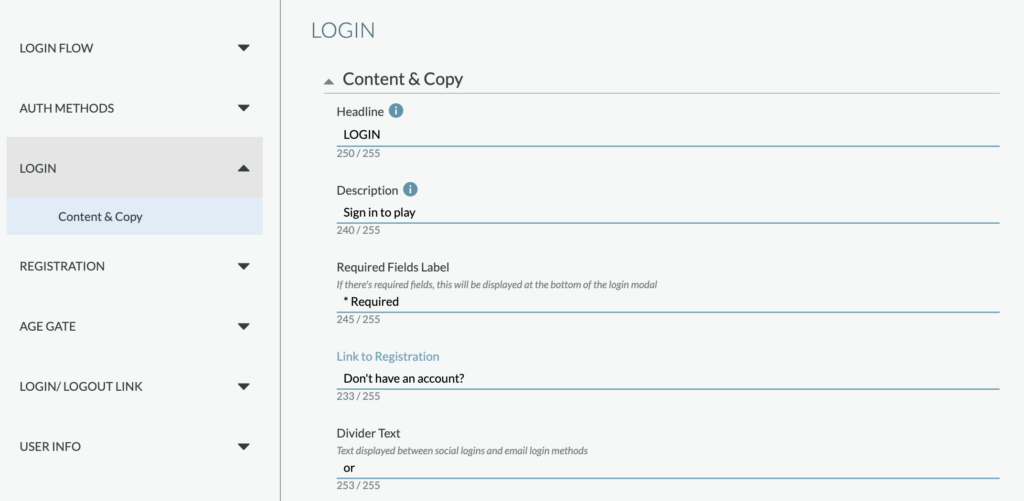
Content & Copy – Set the copy for the Headline, Description, required fields label, link to registration, divider text (if there are more than one login methods), error messages, and email input copy.
Registration
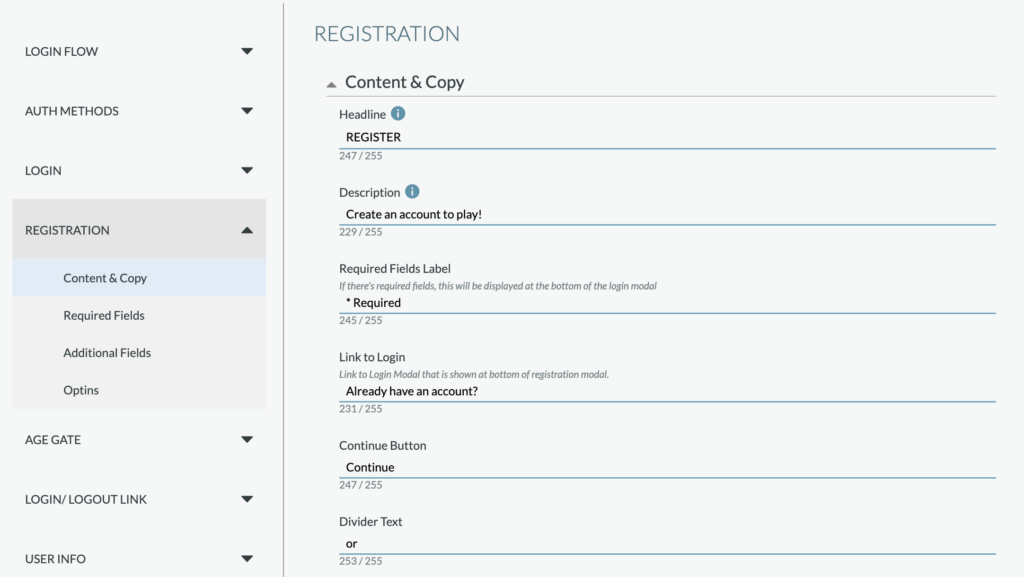
Content & Copy – Set the copy for the Headline, Description, required fields label, link to login, “continue” button, and divider text (if there are more than one login methods), error messages, and email input copy.
Required fields included automatically:
- Display Name
- First Name
- Last Name
Additional Fields – Option to add fields to collect additional information from each user during the registration process. Each field includes field type, label copy, placeholder copy, option to make the field required for the user, and error message (for if a user does not complete or enters incorrectly). Field types include:
- US Phone Number
- Date
- US States
- Secondary Info
Optins – Option to opt-ins for a user opt into (required or optional). Each optin includes optin type, label copy, required copy, option to make the optin required for the user, error message, and option to have the optin pre-checked. Field types include:
- Checkbox – Rules
- Checkbox Opt- in
Age Gate

Settings / Enable Age Gate – If enabled, the campaign will have an age gate apply and only allow Users over a certain age (based on their date of birth) participate.
Content & Copy: Includes copy for the Date of Birth Input:
- Field Type: Should not change and should be set to “dob”
- Label: e.g., Date of Birth or DOB
- Placeholder: e.g., MM/DD/YYYY
- Error message for invalid entry
- Message copy for if a user is “not allowed” based on their date of birth
Login/Logout Link
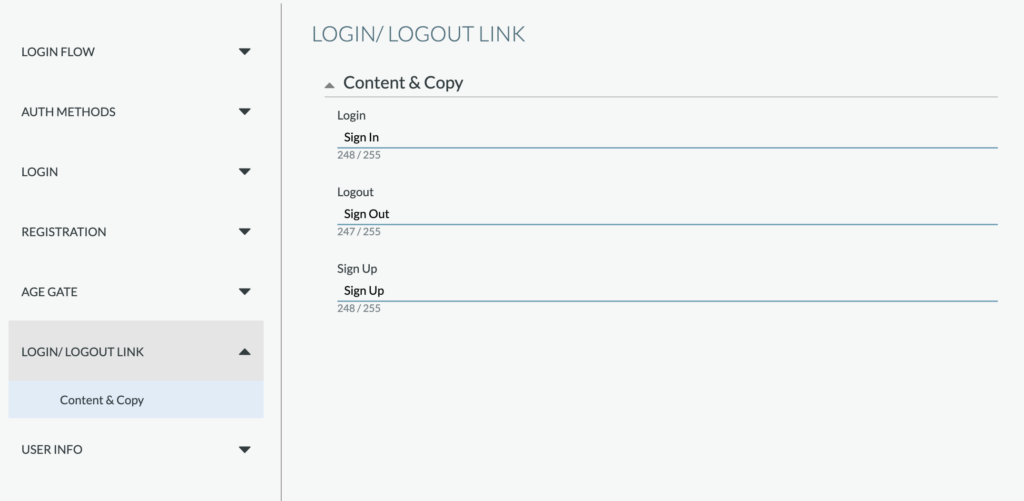
General copy for the Log In, Log Out, and Sign Up (registration) link copy.
User Info
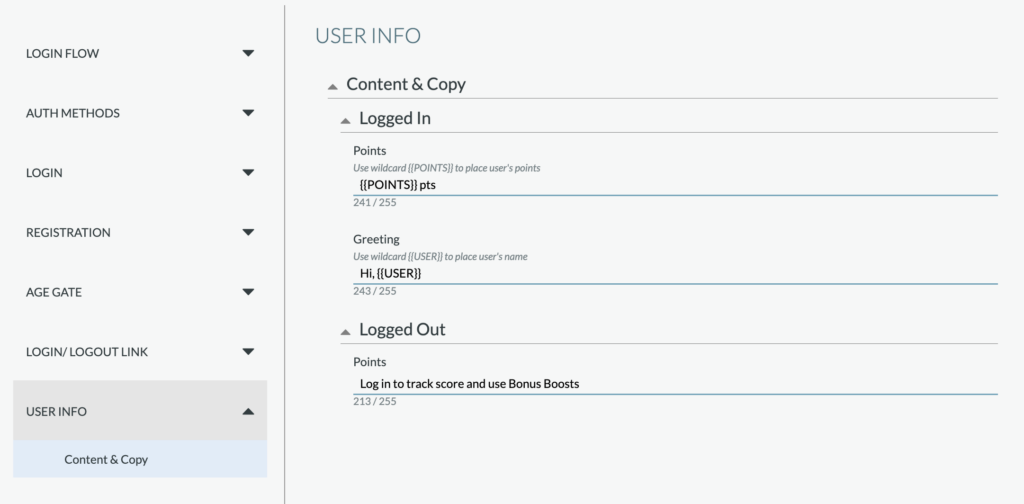


This includes the copy settings for the user info which appears below the campaign header and above the game, includes the # of points message, greeting message (after a user is logged in) and message for if a user is not logged in (should include a CTA).