
Custom fonts can be added to each Bracket Vote campaign.
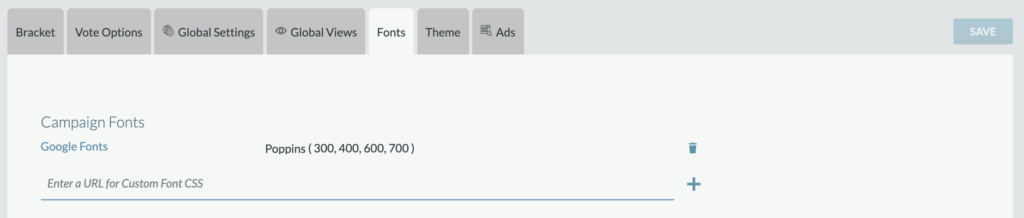
From the Fonts tab, a Producer will enter the URL for the Custom Font CSS.

Once entered, click “+” and then see the font added to the Campaign Fonts list.

From the Theme add, the font will be available as a selection.
Please note that all font licenses rules should be followed accordingly. We recommend utilizing Google Free fonts and Adobe Fonts (if a license is available). Please contact your Telescope representative if you have questions about adding fonts.