
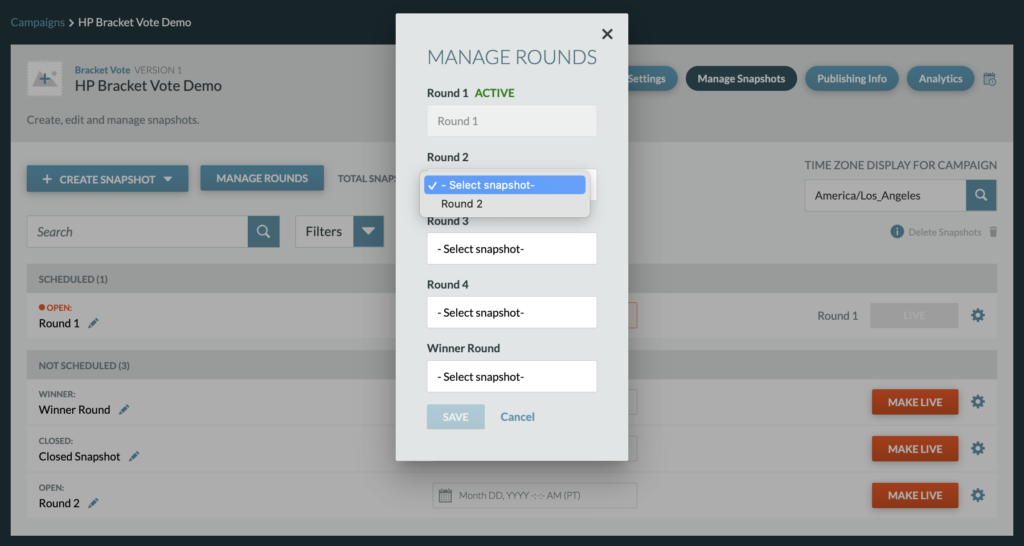
Once an Open or Winner Snapshot is created, it can then be selected and assigned to rounds from the Manage Rounds modal. The Manage Rounds Modal is how Snapshots are assigned to certain rounds and from which a Producer will set future rounds to active.
- Once a Round has an assigned Snapshot, the round can be set to active and the Snapshot can be pushed live by clicking “Make Live.”
- By default, Round 1 is set to active.
- In order to set a next round as active, a round must have an assigned snapshot from within the Manage Rounds modal, a Closed Snapshot live, and a complete bracket for that round from within Campaign Settings.