
After logging into Campaign Manager you will be brought to the Campaign Dashboard. If you have access to more than one account, confirm you are in the correct account for a campaign by checking the dropdown menu at the top of the screen.
The Campaign Dashboard displays all campaigns for the selected account.
This page also allows you to create campaigns, edit campaigns, view existing campaigns, duplicate campaigns and view template versions.
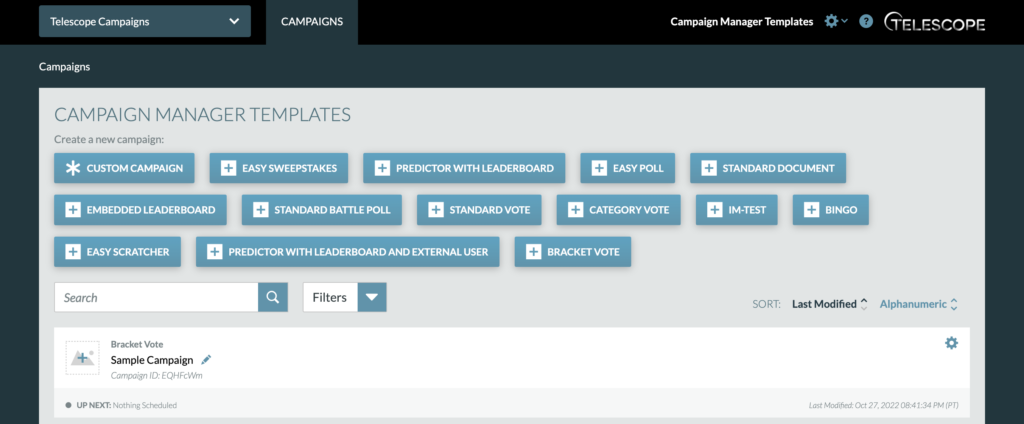
To create a new campaign, select the template button for “Bracket Vote.”
To edit an existing campaign, select the pencil icon next to the campaign name you wish to edit.
Both routes will take you to the Campaign Settings tab of the campaign. Once on this tab, you can also access the Manage Snapshots, Publishing Info, and Analytics tabs as well as reach the Audit Page.
You can also reach any of the four tabs mentioned above by clicking the cog for the campaign.
