
Duplicating Campaigns
To duplicate a campaign, click the cog of the campaign you wish to copy on the Campaign Dashboard and click “duplicate” in the dropdown options.
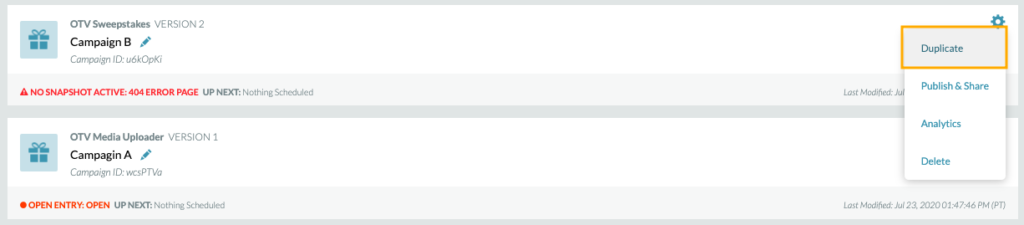
Note: Duplicating a campaign will duplicate the same version of the template as well as all snapshots within the campaign. These duplicated snapshots will be clear of scheduling.
Template Versions
If updates are required to be made to a campaign template by Telescope, a new version of the template may be released to your Campaign Dashboard.
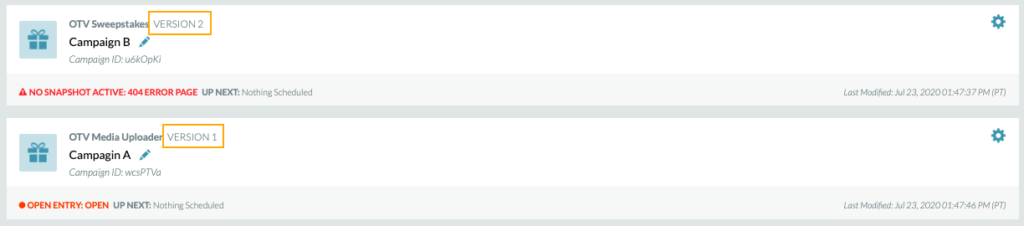
Template versions are located above the campaign name on the Campaign Dashboard as well when in the campaign or in the Snapshot Dashboard.

Campaign duplication will be limited to the two most current versions of the template. It is strongly recommended that only campaigns using the current version of the template be duplicated. Template versions that are older than 1 version back cannot be duplicated.