
A single campaign can have multiple snapshots and multiple snapshot types. To create a new snapshot, select the “Create Snapshot” dropdown and choose the type of snapshot you want to create.
Snapshot types will be specific to the campaign template. Each snapshot will correlate to a different state of the application (i.e. open state and closed state).
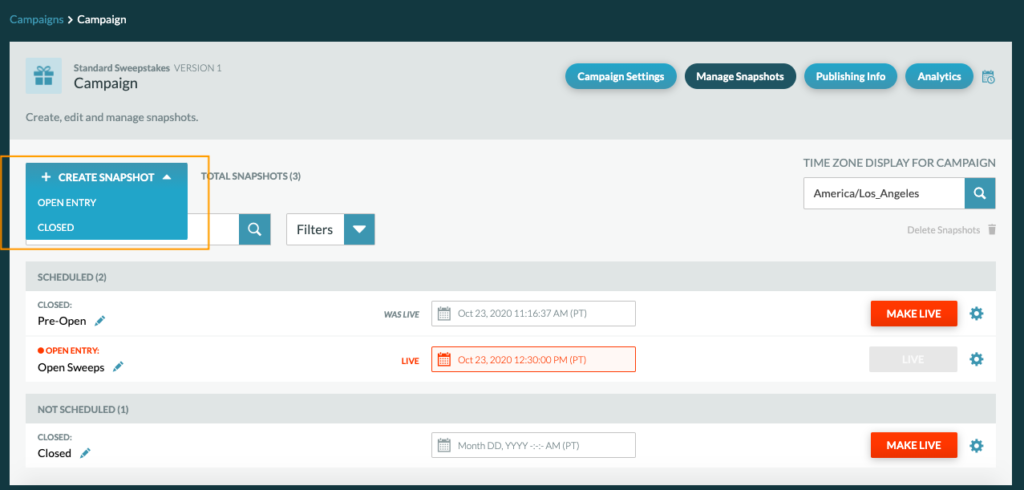
- Open: when a campaign is active
- Closed: when a campaign is over (can also be used as a pre-open state)
Important Note: A closed snapshot is needed in order to close a campaign. If a closed snapshot is not scheduled and made live, the campaign will remain on the open snapshot and entries can be made indefinitely.
The newly created snapshot should be named in a way that describes what is in the snapshot, for example, “Open Vote with Top 10 contestants”.