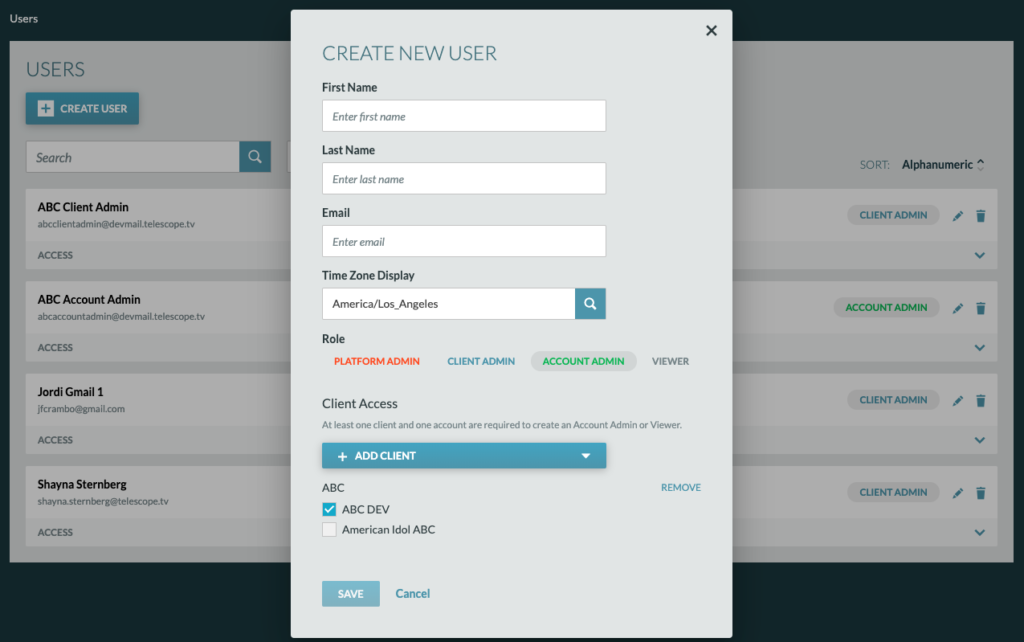
To create a new user, click on the “+ Create User” button.

The “Create New User” modal will pop up and prompt you to enter the users: First Name, Last Name, Email, Time Zone, and Role.
Important Note: Users can only create users with an equivalent role or lower.
Creating Client Admins

After clicking “Client Admin”, choose the client the user will have access to and click “Save”. The new user will then receive an introductory email.
Reminder: Client Admins have access to ALL accounts under the selected Client.
Creating Account Admins and Viewers
After clicking “Account Admin” or “Viewers”, choose the client in which the accounts you will be giving access to live under, then choose the accounts and press “Save”. The new user will then receive an introductory email.