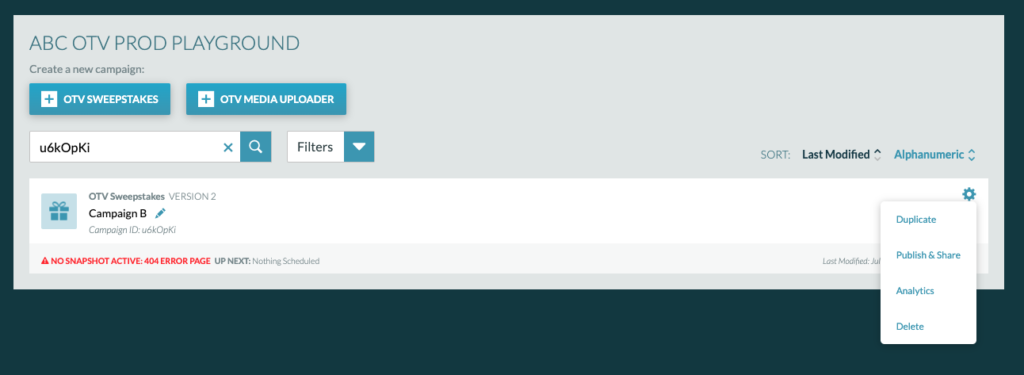
The Campaign Dashboard shows the list of campaigns that have been created under an account.
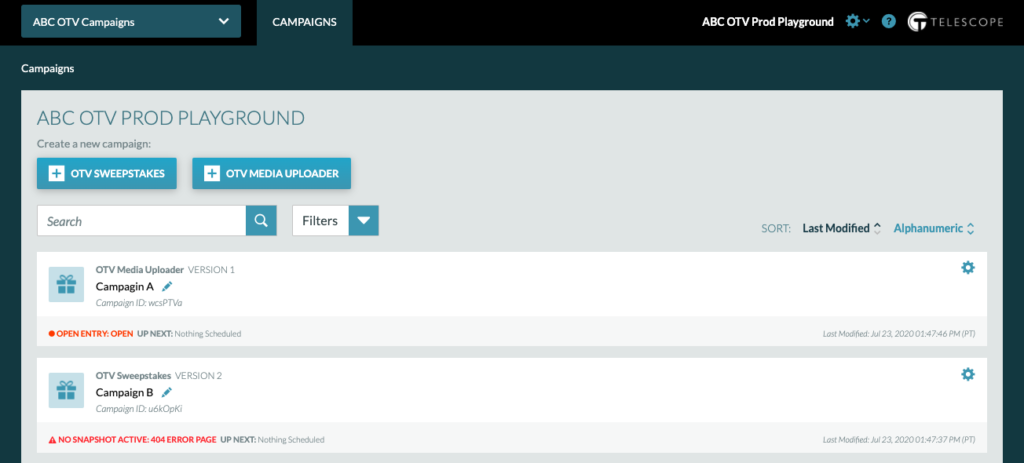
On the Campaign Dashboard, you can:
- Create Campaigns
- Edit Campaigns
- Search for a Campaign
- Filter Campaigns
- Sort Campaigns
- Duplicate Campaigns
- View Publishing Info
- View Analytics
- Delete Campaigns
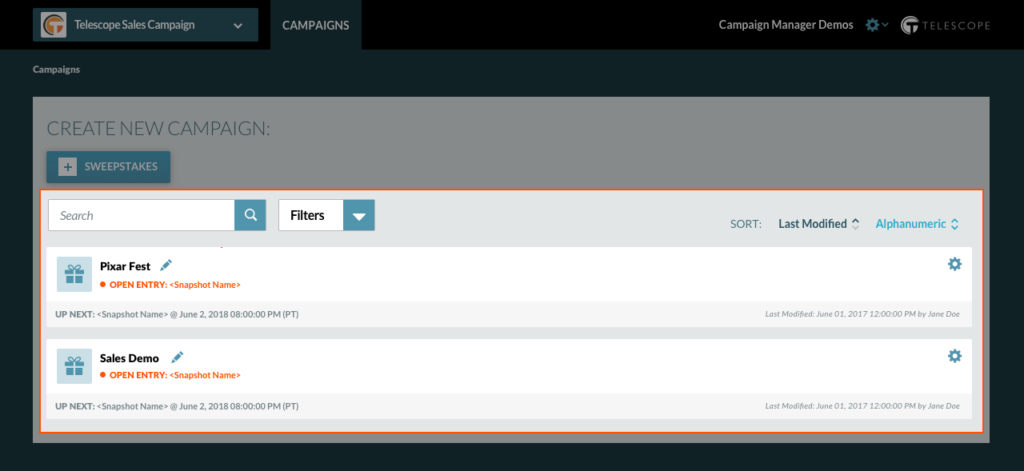
Search for a Campaign
In the Campaign Dashboard you can search for a campaign by name or by Campaign ID. Type the campaign name or ID in the search bar and click the magnifying glass icon to find a campaign.
Filter Campaigns
Campaigns can be filtered by Campaign Type and Current Snapshots. Click the dropdown arrow next to “Filters” to filter the list of campaigns.
Tip: Use the Current Snapshots filter to confirm previous campaigns have a live CLOSED snapshot.
Sort Campaigns
Campaigns can be sorted by “Last Modified” or “Alphanumeric”. Click either choice to update your sorted view.
Delete Campaigns
To delete a campaign, click the cog for the campaign you wish to delete and click “delete.”
Important Note: Once a campaign is deleted, you cannot retrieve it or its Analytics.