
Once you have created a campaign, made an open snapshot live and some data has been submitted, you can begin viewing campaign analytics.
The analytics data available will depend on the campaign template. Go to the “Analytics” tab to view stats on how your application is performing.
Note: Analytics are snapshot specific and are based on open snapshots only. To view analytics for different snapshots, use the snapshot dropdown to switch between snapshots.
Note: Analytics are template specific. Please see your client user manual to your application for more details.
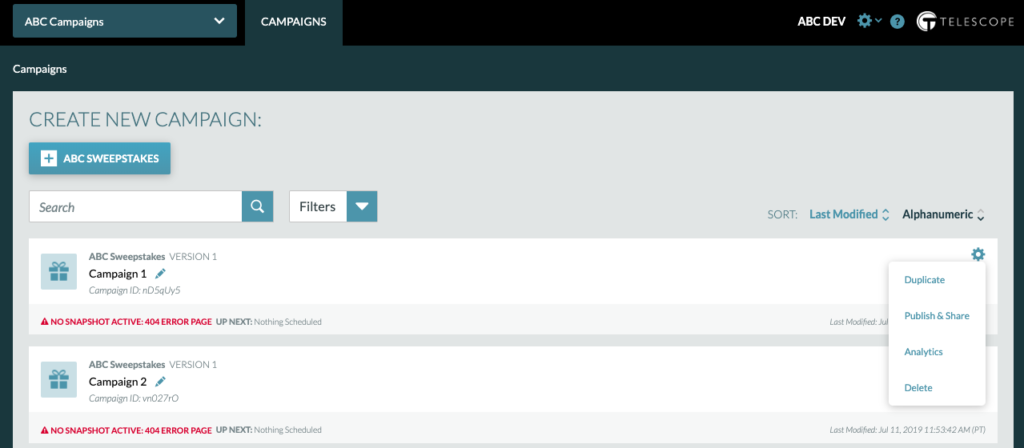
There are two ways to access the Analytics Tab for a campaign.
1. The Campaign Dashboard
You can reach the Analytics Tab by clicking the cog next to the campaign and selecting “Analytics”.
2. Within the Campaign
Select “Analytics” on the upper right hand corner.
