
On the reports selection page you can choose which reports to run within the report job.
Note: All reports under a single job will be run using the same parameters (time period, time zone, etc.). If you need to run a report with different filters or parameters, you need to create another report job.
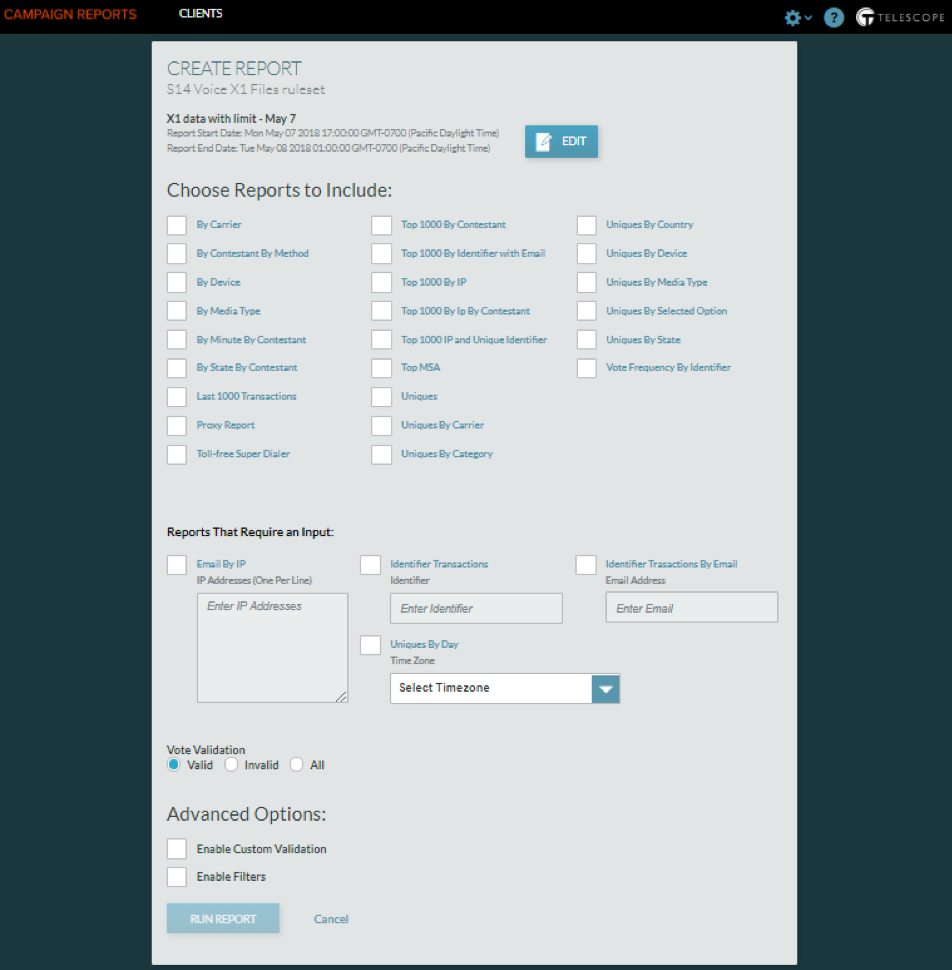
If you need to change the name of the report or the date/time period that it covers, select EDIT at the top and you will be taken back to the previous screen.
Choosing Reports
Choose Reports to Include by selecting the checkboxes of the reports you want to run. If you click on the report name (in blue) it will provide a brief explanation of the report. See Reports To Include for Frequently Used Reports and other report group descriptions.
Once you have all the parameters for your report set, select “Run Report”.