
You can find the Leaderboard information under the Analytics Tab within a campaign.
Releasing the Leaderboard and Scores
When setting up your campaign, the leaderboard can be set to be updated automatically or manually. This setting is on the Campaign Settings tab, under the Leaderboard section.
Automatic updates mean the leaderboard and scores update as soon as the Game is scored. Once “Score Now” is clicked on the “Manage Settings” tab, the user will see their results and are able to view the updated leaderboard.
If auto release is disabled, Schedule Release is disabled. Scheduled time will be determined by the next scheduled scoring job.
Manual updates mean the admin must manually release the Leaderboard. The benefit of manually releasing the Leaderboard is you can review the leaderboard player names before the release. See how to manually release the leaderboard in Manual Release.
The page will show both the game and cumulative leaderboard. Each of the two leaderboards can be expanded to focus on one at a time.
Use Game dropdown to determine which game leaderboard to display.
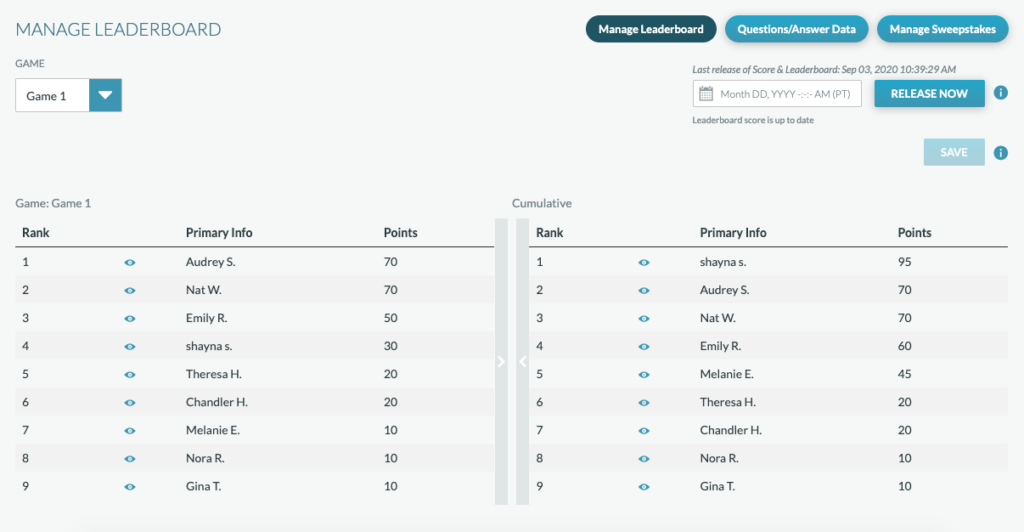
The leaderboard can be reviewed by an admin manually before being published. This can ensure that no inappropriate names show on the leaderboard (even with the profanity filter on, some items may get through if undetected). The admin/producer can review live, pending, and past leaderboards.
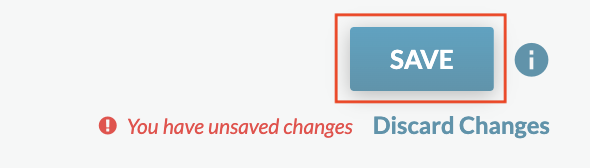
Toggling the eye icon to closed determines which users to hide. This is not an instant action. The Save button must be pressed to commit changes.
Important Notes:
- Hiding a user will apply to all campaigns within an account. Changes will not take effect on other games until their next respective releases.
- If you have 100 players that you want to show and you hide 1 user, 99 users will show on the leaderboard
- What does the hidden player see?
- They can see their own rank at the top of the leaderboard
- The will not see themselves rank on the leaderboard
- They will see their rank as 1 on their section showing rank and points
The player who takes the hidden players spot will keep their rank but be moved up on the board. For example, if the player were ranked #2, they would see their rank as #2 but their position on leaderboard as #1
If ranking differs from profile to leaderboard, disqualified players have been hidden
Manual Release
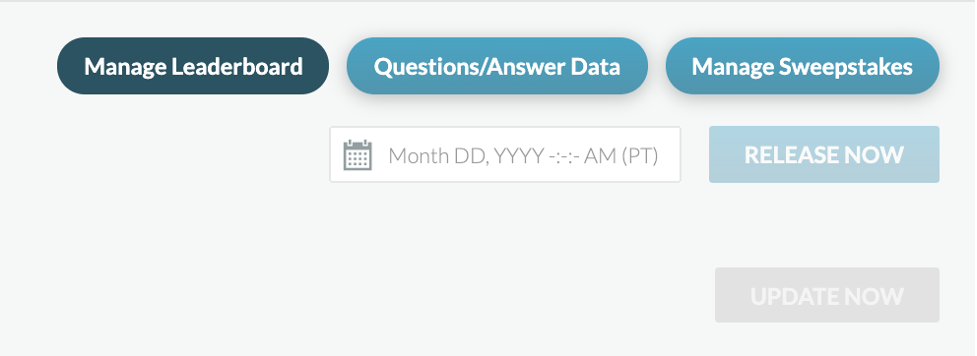
For manual release, you can click “Release Now” on the Manage Leaderboard tab under the Analytics Tab within a campaign or schedule the score and leaderboard release time, using the time/date picker above the leaderboard.