
A campaign can be duplicated by selecting the cog icon next to the campaign in the Campaign Dashboard of an Account.
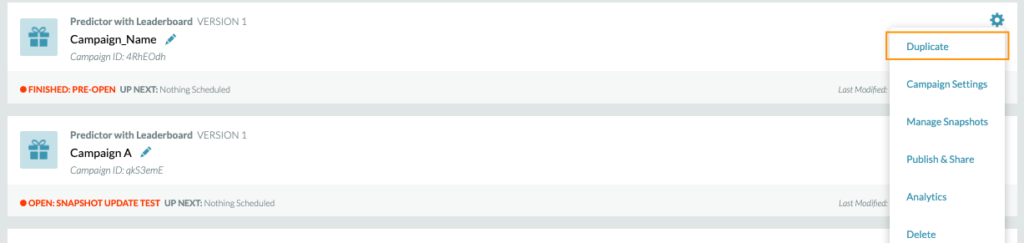
Duplicating a campaign will copy over all the settings under “Campaign Settings” including:
- Login Settings
- Form Settings
- Geo Settings
- Favicon Settings
- Social Share Configurations
- Terms Links
- Google Analytics Settings
- Leaderboard Settings
When a campaign is cloned, a modal will popup so you can select which snapshot groups (including games and all associated snapshots) to move over.
Snapshot and Game Schedules will not copy over to the new campaign
Leaderboard Questions
- If a question is un-scored, the correct answer and points will remain blank and reset.
- If a question is already scored, the answer will carry over to the cloned snapshot
Trivia Questions
- Duplicated trivia questions will bring over the points value and correct answer.