
Adding a Question will create a new question using the template styles at the top of the snapshot editor.
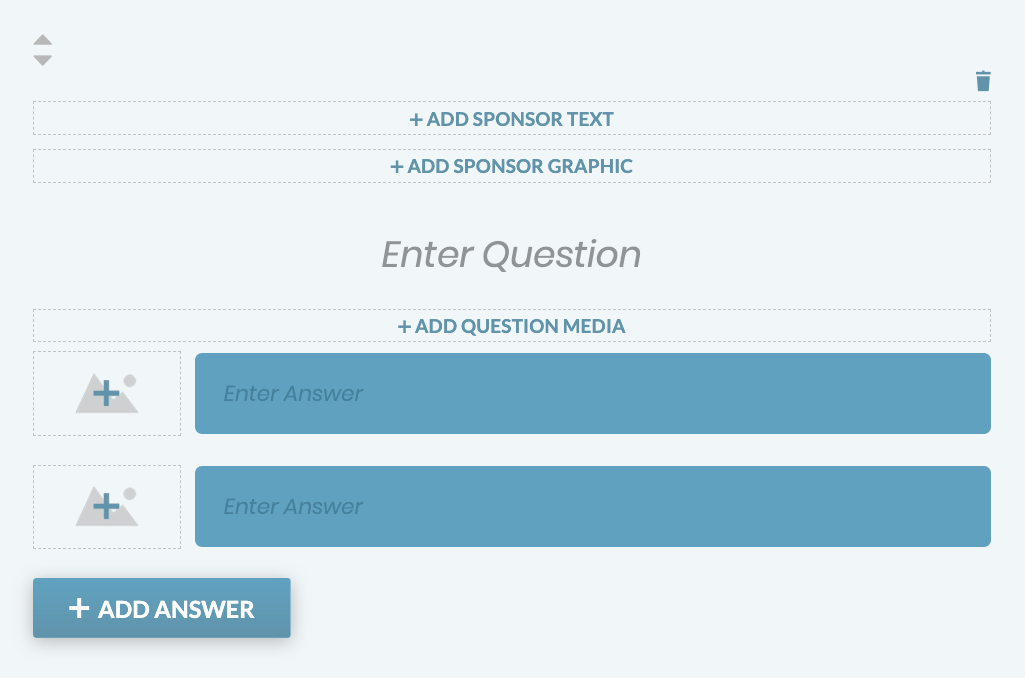
Add Sponsor Text and Graphic: A Sponsor Text and Sponsor Graphic can be added and linked.
Enter Question: Click “Enter Question” to write in the copy for the question.
Add Question Media: An image or video can be added to the question.
Media Specs:
- Large Breakpoint Specs: should be at least 900px wide
- Small Breakpoint Specs: should be at least 570px wide
- Videos: Uploaded via YouTube embed. Paste a full YouTube link, including the https in the URL, to add a video.
Answers: Answer options can include media (images or videos), text, or both. Click the “Add Answer” button to add more answer options.
Answer images should be at least 512px wide. Make sure all image dimensions are the same to have them uniform for the question.
Adding a Sponsored Questions
Sponsored Questions are questions that can be completely restyled to match a sponsor’s branding.
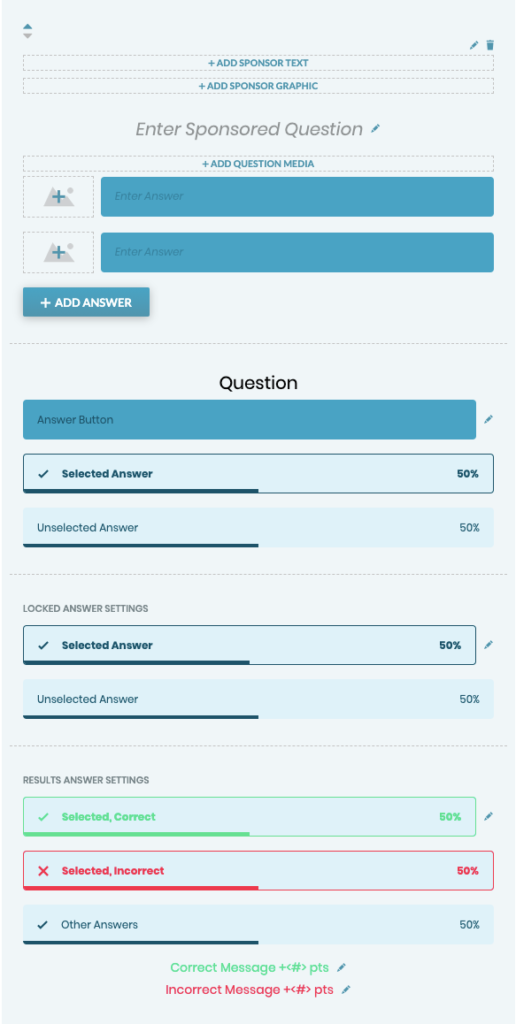
Add Sponsor Text and Graphic: A Sponsor Message and Sponsor Graphic can be added and linked.
Enter Sponsored Question: Click “Enter Sponsored Question” to write in the copy for the question.
Add Question Media: An image or video can be added to the question.
Media Specs:
- Large Breakpoint Specs: should be at least 900px wide
- Small Breakpoint Specs: should be at least 570px wide
- Videos: Uploaded via YouTube embed. Paste a full YouTube link, including the https in the URL, to add a video.
Answers: Answer options can include media (images or videos), text, or both. Click the “Add Answer” button to add more answer options.
Note: Answer images should be at least 512px wide. Make sure all image dimensions are the same to have them uniform for the question.
Question Styling: The sponsored question styling will only be for the above sponsored question.
Add custom locked and unlocked messages as well as configure answer backgrounds, text, and button colors for the unlocked and locked question states, selected and unselected states, and correct and incorrect answers.
Results Question Styling: Configure backgrounds and text colors for incorrect, correct, and unselected color combinations.
Answer images should be at least 512px wide. Make sure all image dimensions are the same to have them uniform for the question.