
An optional sweepstakes can be added on a Predictor with Leaderboard Campaign. The Manage Sweepstakes tab holds a record of all unique entries to the predictor campaign. Upon first login to the campaign, the user is automatically granted an entry to the campaign’s optional Sweepstakes.
The optional Sweepstakes has a limit of one entry per person.
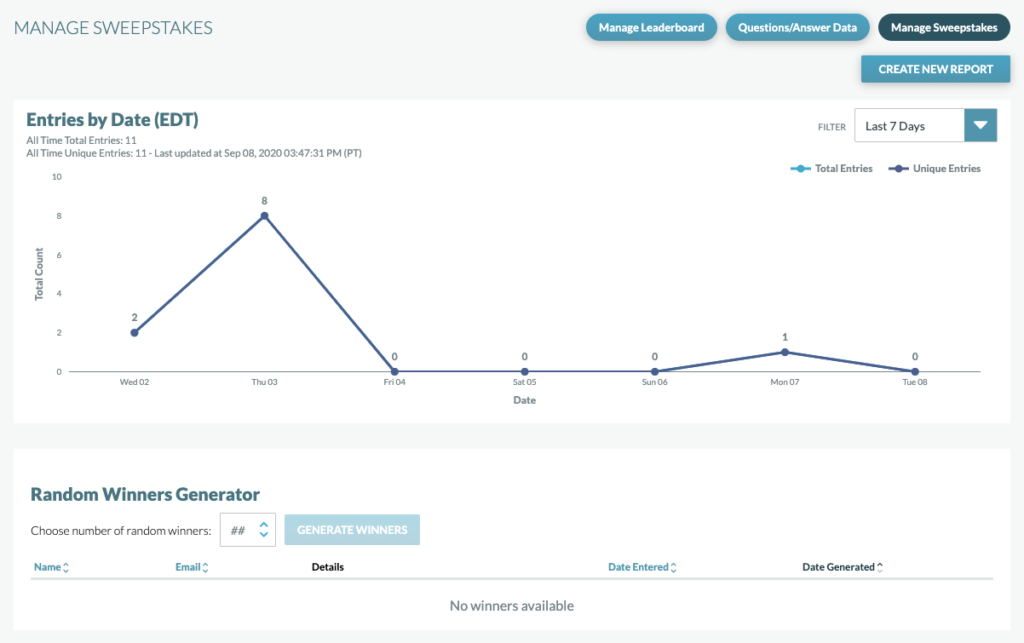
On the Manage Sweepstakes Tab, you can:
- Download all unique entries with Create New Report
- Filter time and view Entries by Date Graph
- Generate winners with the Random Winners Generator
Create New Report
Selecting “Create New Report” in the upper right hand corner will generate a report of all the entries for the campaign.

- Selecting Create New Report will generate a downloadable file of all entries. Selecting this will generate a zipped CSV file of sweeps entrant data.
- Users who have been selected as winners will be noted in the report (Winners must first be selected using the Random Winners Generator – see more info below).
- Depending on the amount of data in the report, processing time may take up to 10 minutes.
Important Note: Windows users may need the Winzip program to open compressed file.
Entries by Date Graph
The Entries by Date graph will display the total and unique entries over a selected period of time. The data is displayed based in EST, Eastern Standard Time (1 day is defined as midnight – 11:59 EST). Using the drop down at the top right of the graph, you can change the display interval to:
- Show Last 7 Days
- Show Last 14 Days
- Show Last 30 Days
- Show Last 8 Weeks
- Show Last 12 Weeks
- Show All
In the line graph below, All Time Total Entries in the upper left-hand corner indicates the total number of entries for the lifetime of the campaign, and All Time Unique Entries shows the total number of unique entries for the lifetime of the campaign. The two numbers will always match as a user can only enter the optional Sweepstakes once in the initial login.
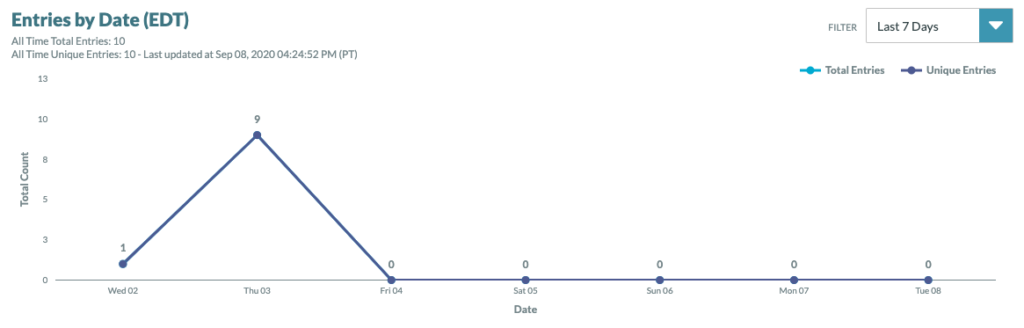
The light blue line within the line graph indicates the total number of entries per day, and the dark blue line illustrates the first instance a unique entry is submitted throughout the life of the campaign. Choosing a different interval of time to view (7 days, 14 days, etc.) will not alter the viewed segment of the graph.
Random Winners Generator
To generate random winners for your sweepstakes, enter in the number of random winners that you would like to select and click “Generate Winners”.

Winners and their data will display on the dashboard.
If you choose to generate more winners than available, a notification will appear on the dashboard and only the number of available winners will be displayed.
A sweeps entrant can only be selected as a winner once per campaign. If they have already been selected, they are not eligible to be selected again.
Once winners are generated, this information can be downloaded from the dashboard by selecting Create New Report. The entry timestamps in the report will be in EST.