
Write-In Questions are predictor questions that allow a user to enter a numerical write-in value.
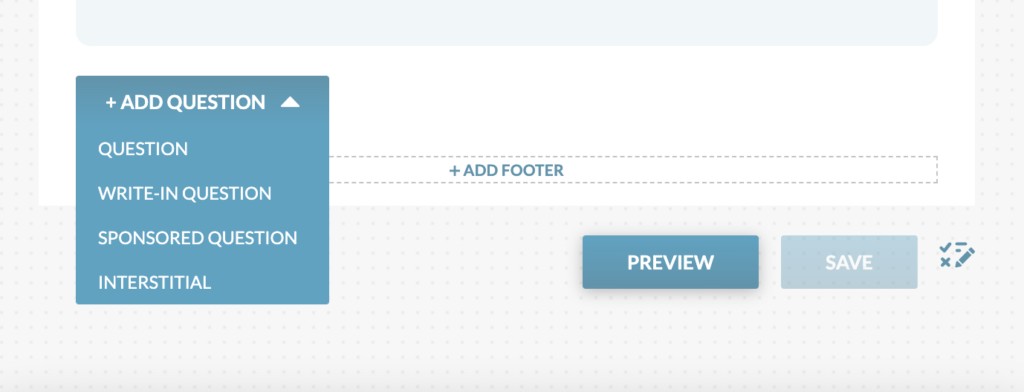
These questions are prediction style only and require specific scoring before pushing the snapshot live. See scoring instructions on the Write-In Scoring section.
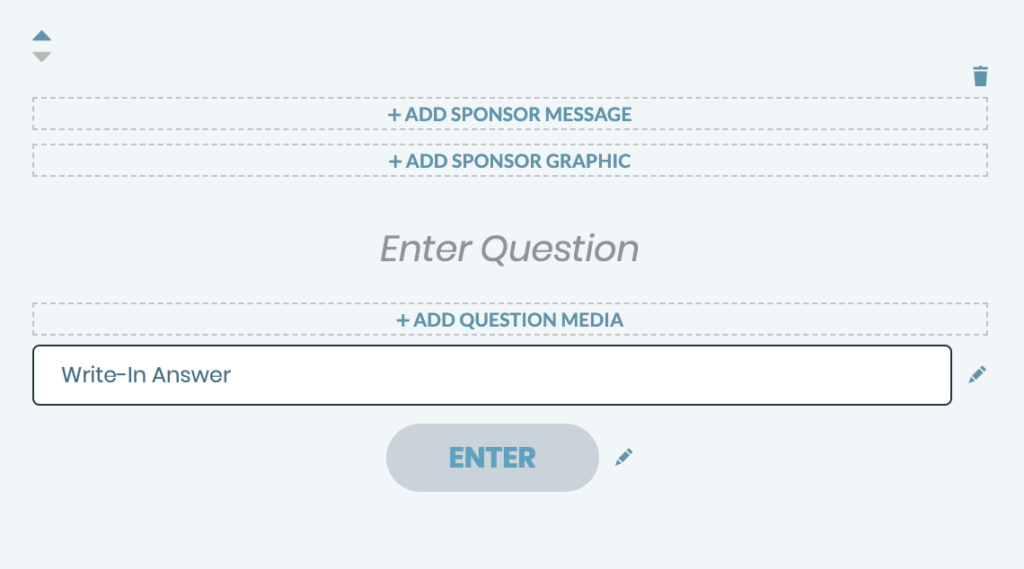
Add Sponsor Message and Graphics: A Sponsor Message and Sponsor Graphic can be added and linked.
Enter Sponsored Question: Click “Enter Sponsored Question” to write in the copy for the question.
Add Question Media: An image or video can be added to the question.
Media Specs:
- Large Breakpoint Specs: should be at least 900px wide
- Small Breakpoint Specs: should be at least 570px wide
- Videos: Uploaded via YouTube embed. Paste a full YouTube link, including the https in the URL, to add a video.
Write-In Answer: The write-in answer will be the field that the user uses to write in their numerical value.
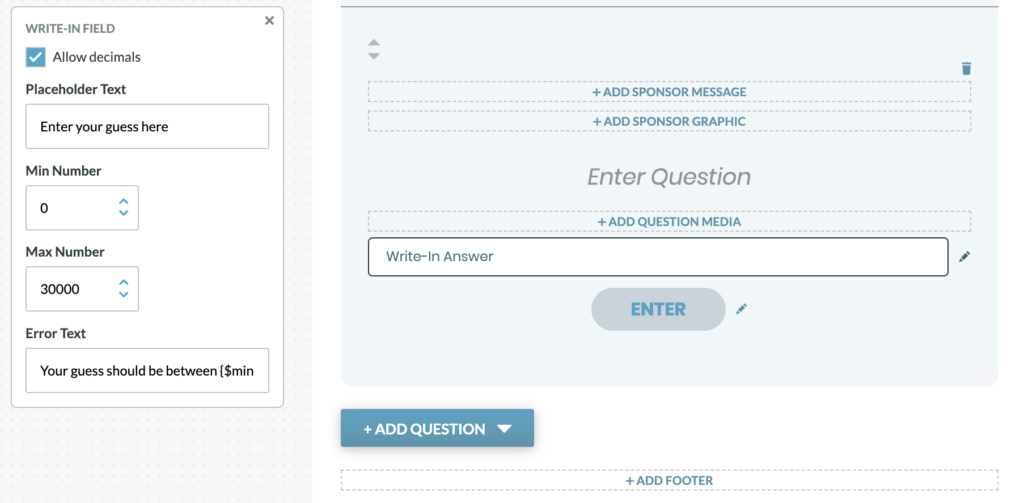
Write-In Field Settings: The write-in answer settings can be adjusted by clicking the pencil icon to the right of the write-in field.
- if Allow Decimals is checked, a user can include decimals within their write-in
- Placeholder text will appear within the text box before a user enters their write-in
- Min Number is the minimum required write-in number (if a user writes a number under than what is set, it will not be accepted)
- Max Number is the maximum write-in number accepted (if a user writes a number over than what is set, it will not be accepted)
- Error Text will appear when a user attemps to enter a number below the min number or above the max number.
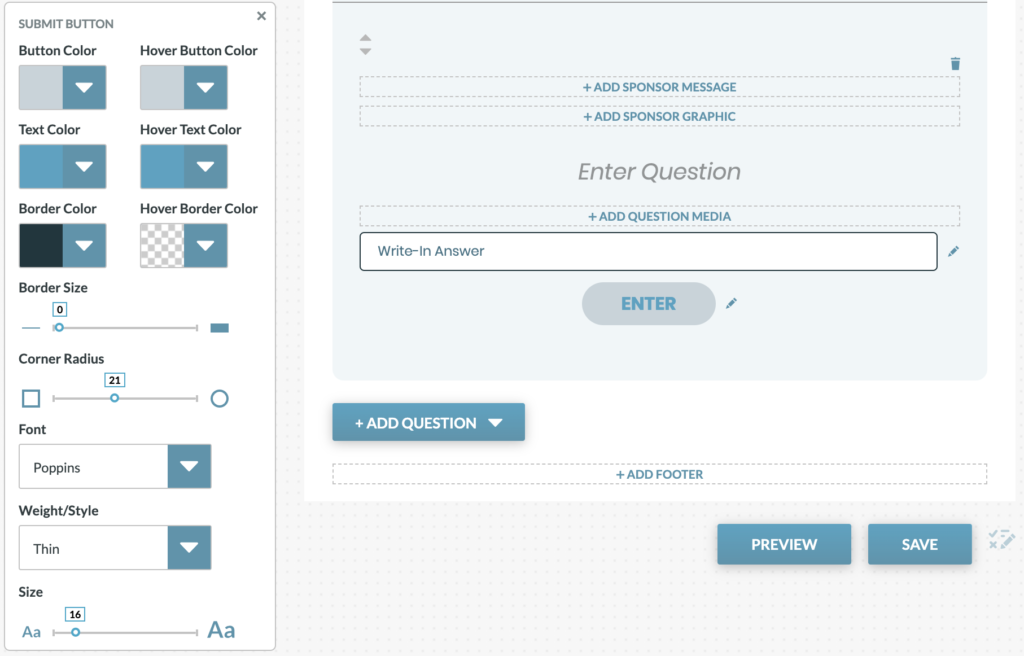
Submit Button Styles: The submit answer button can be styled for each write-in question. Note that the copy for the button is specified within the Answer Styles.